🚀 MeshMapper Update (April 9, 2026)
🌐 Server & Map
✨ New Features
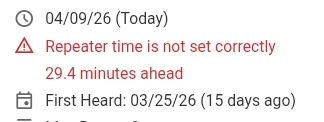
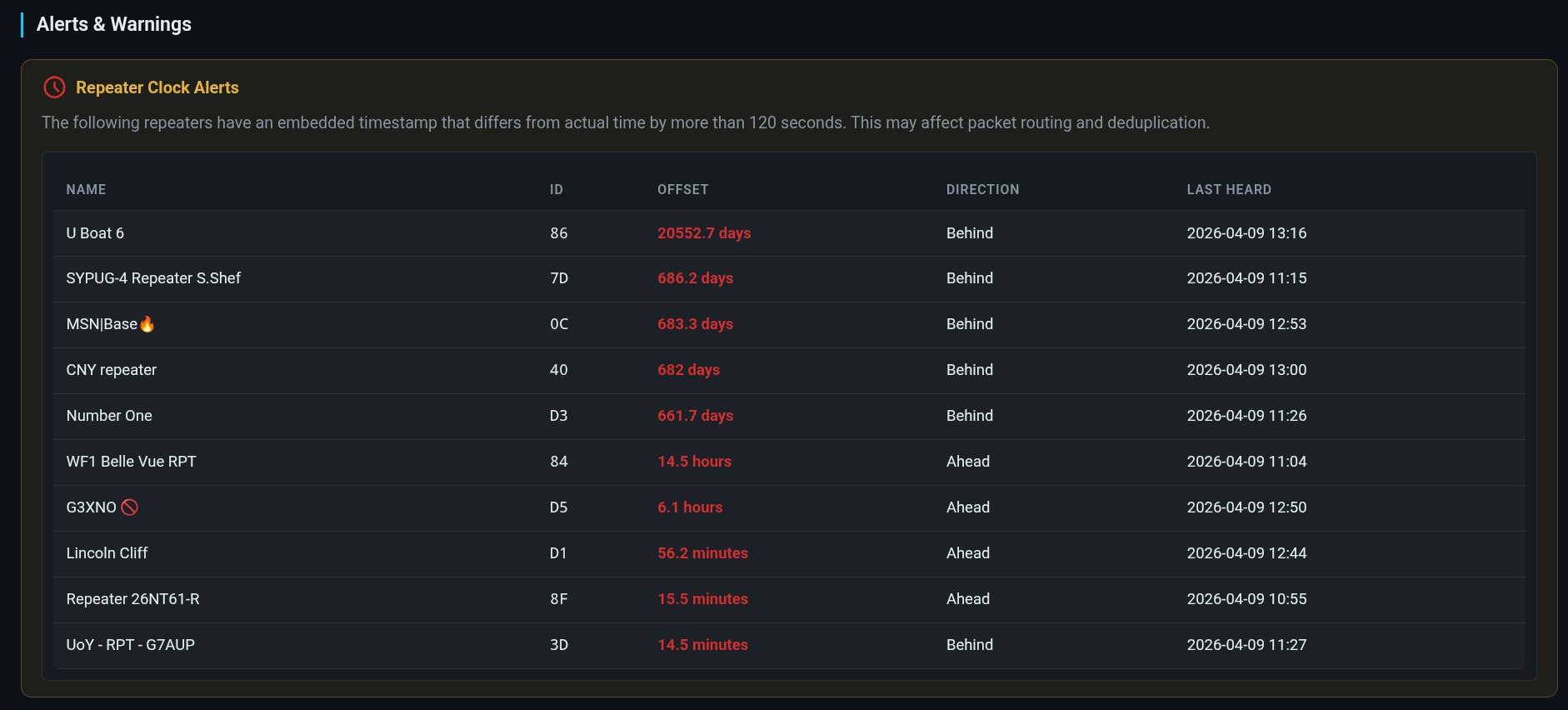
- Repeater Clock Tracking — MeshMapper now extracts and records the embedded timestamp from repeater advert packets. If a repeater's clock differs from server time by more than 120 seconds, a warning is displayed in the repeater sidebar and the "Repeaters" window in "Region Info" showing the offset (e.g. "3.2 hours behind"). Administrators can view all misconfigured repeaters in the Alerts tab, and users can filter the map to show only affected repeaters via the "Display Only Repeaters With Incorrect Time" option in Advanced Search. (Thanks L3APY)
-
Map Scale Bar — A distance scale is now displayed at the bottom of the map. The scale automatically switches between metric (m/km) and imperial (ft/mi) based on the user's unit preference. (Thanks AI7NC)
-
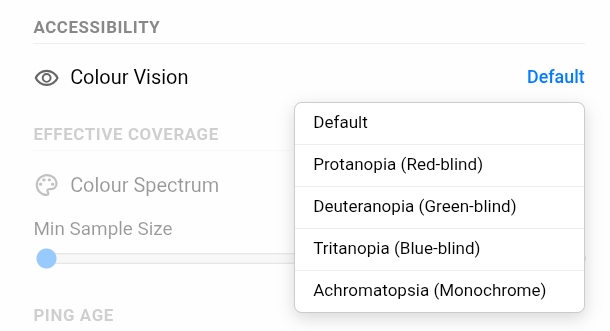
Colour Blindness Accessibility — A new Colour Vision setting is available under Settings > Accessibility. Choose a palette optimised for your vision type: Protanopia (red-blind), Deuteranopia (green-blind), Tritanopia (blue-blind), or Achromatopsia (total colour blindness). Uses Wong 2011 colourblind-safe colours. All coverage grid squares, repeater markers, signal indicators, legends, charts, and gradient layers update automatically.
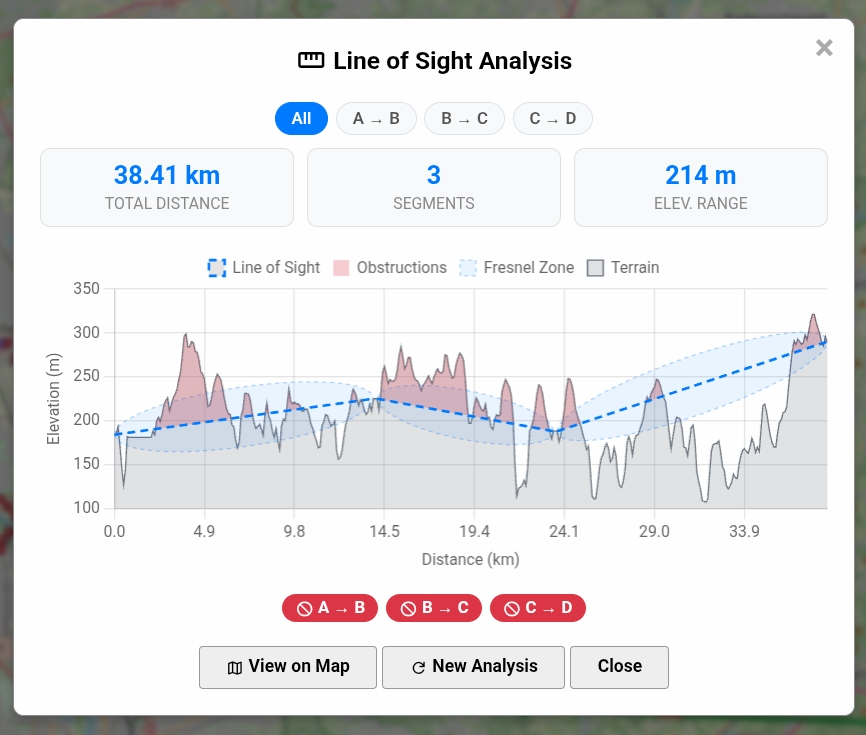
- Multi-Point Line of Sight — The Line of Sight tool now supports defining multiple points along a path, not just A and B. This allows users to plan more complex routes and check terrain clearance across several waypoints.
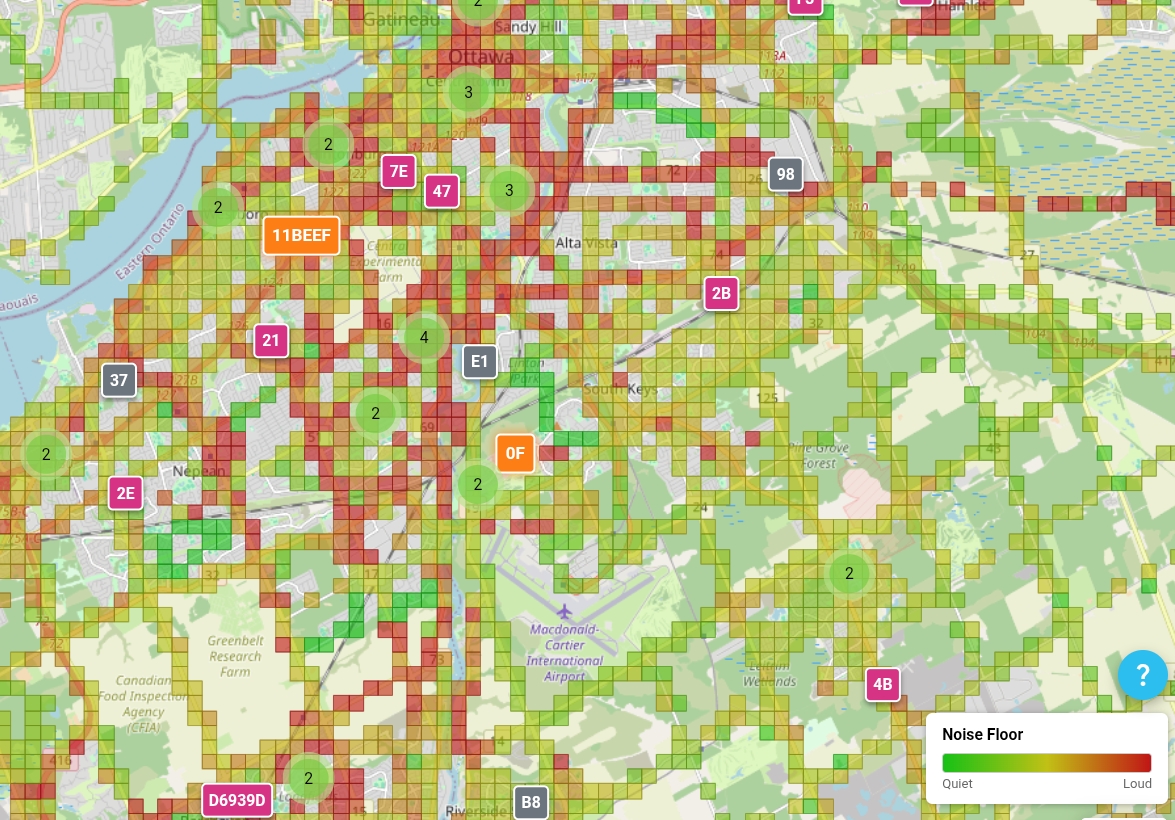
- Noise Floor Layer — Replaced the noise heatmap with a new grid-based noise coverage layer. The previous heatmap interpolated noise floor values between data points, which created misleading smooth gradients in areas with no actual data — giving the false impression of known noise levels where none had been measured. The new layer displays noise floor readings per grid square, only where data actually exists, providing a more honest and accurate representation of RF conditions. The same calibration logic still applies. See here for more details
-
Legend Tooltips — Hovering over items in the web map legend now displays helpful tooltips explaining what each colour and symbol represents. (Thanks errhoss)
-
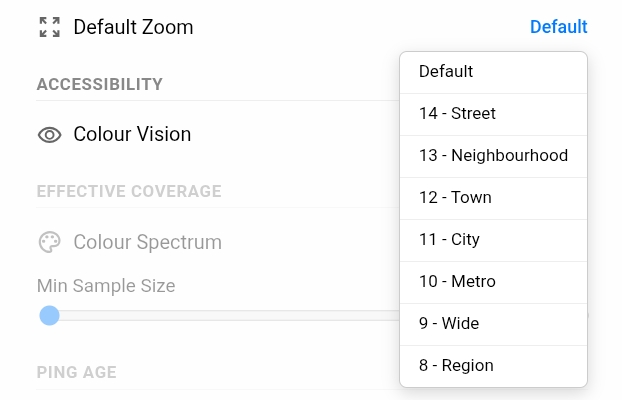
Customisable Default Map Zoom — Users can now configure the default zoom level for the map, and the default has been adjusted for a better initial view. (Thanks garrisonsan)
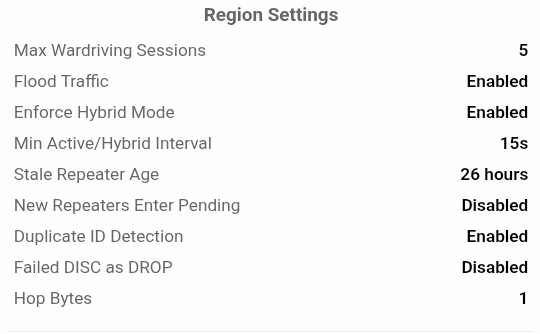
- Region Settings in Region Info — The Region Info panel now displays the region's configured settings, giving visitors insight into how the region is set up. (Thanks fidonet127)
- Observer Letmesh Links — Observer entries now display a link to their Letmesh page, when available. (Thanks cwichura)

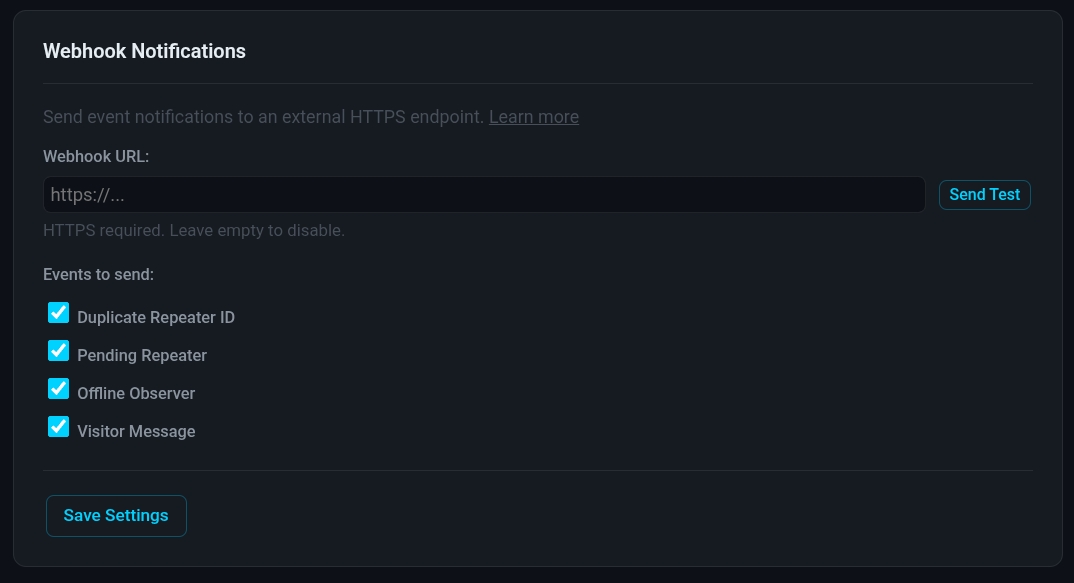
- Custom Webhook Notification URL — Administrators can now define a custom webhook URL at the region level to receive alert notifications (duplicate repeaters, pending repeaters, offline observers) on any HTTPS endpoint such as Home Assistant, custom tools, etc. (Thanks Zeva) Read more about it here.
-
AI Bot Region Boundaries — The AI bot can now help define region boundaries based on geographic data. This option is available in the admin panel and saves administrators from manually plotting boundary coordinates.
-
AI Bot Bug & Feature Requests — The Discord AI bot can now create bug reports and feature requests on behalf of users.
-
Updated AI Model — The AI bot has been upgraded to a more capable model for improved responses to wiki and support queries.
-
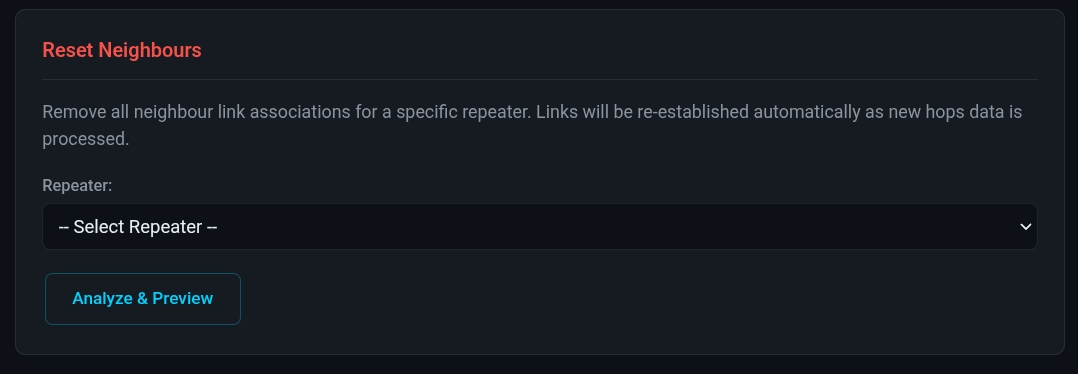
Neighbours Reset Tool — Added a tool for region administrators that resets a repeaters neighbour associations.
🐛 Bug Fixes
- Fixed a bug where the API would report "0 KM to XXX" to the wardriving app when the user was out of zone.
- Fixed points calculation for companions that exist in multiple regions, where aggregation across regions could produce incorrect totals.
- Fixed quirks with the Repeater Neighbours layer. (Thanks AI7NC)
- Fixed Packet Analyzer layout and flooding issues when minimising and restoring the panel. (Thanks np2141)
- Fixed a bug where the Repeaters layer could become disabled on page refresh.
🔧 Improvements
- Hop Bytes Ping Filtering — The Advanced Search hop bytes filter now filters both repeaters and coverage pings. When a hop byte count is selected, only pings associated with repeaters of that byte length are shown. (Thanks AI7NC)
- Delete Repeaters from Alerts Tab — Added ability to delete repeaters from the Alerts tab in the admin panel. (Thanks LeytonTheBiker)